
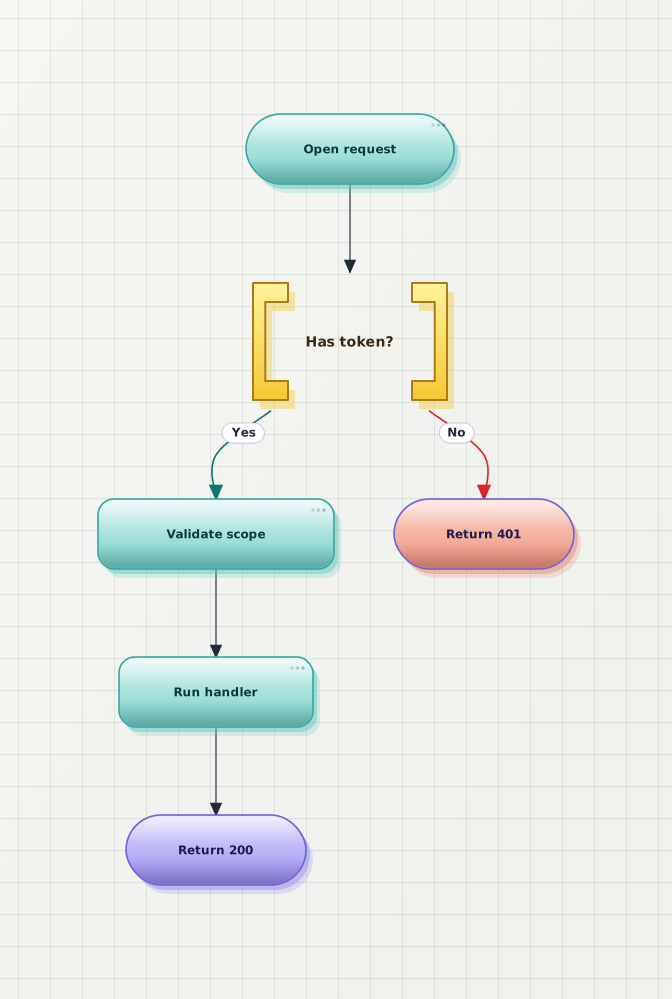
Flowchart
Map a request through validation, branching, and a final response.

A free Mermaid editor online: type Mermaid below and the preview re-renders live — already beautified, not the default pastel render. Switch themes, then open the full editor to save and export clean SVG or PNG. No login — flowchart, sequence, state, class, ER, and Gantt all render here.

This is a quick preview. The full editor adds AI generate, save & share links, every theme, and watermark-free HD export.
Open full editor →Each sample renders live in the Mermaid live editor. The After preview shows the same source after a one-click beautify — and we picked a different theme for each one to hint at the styles you can switch between when editing Mermaid online.
Map a request through validation, branching, and a final response.
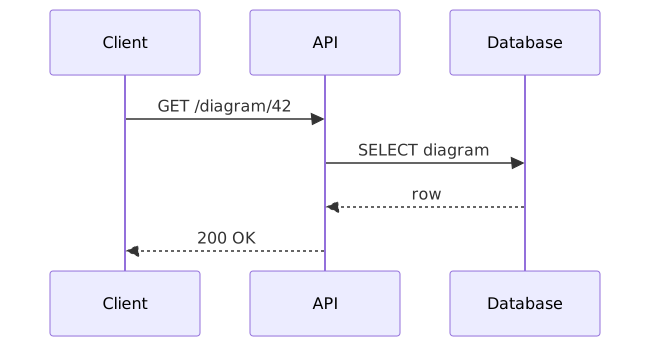
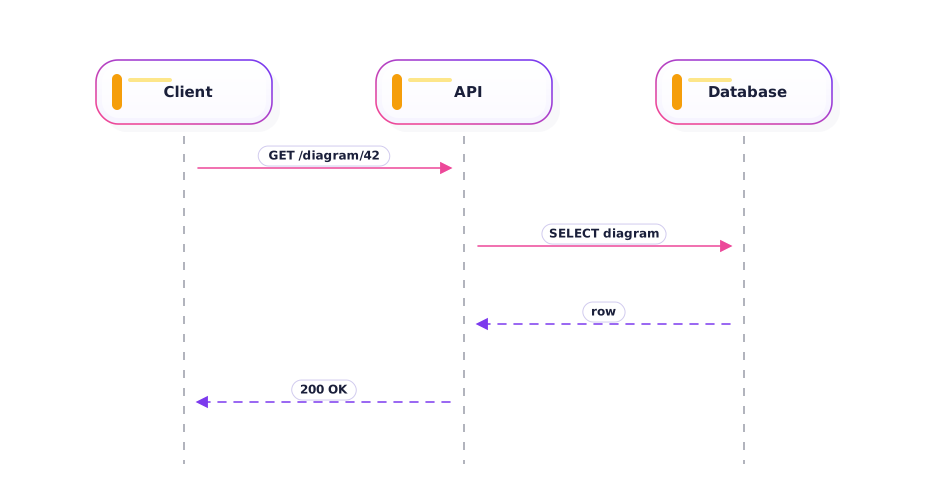
Show how a client, API, and database collaborate over time.
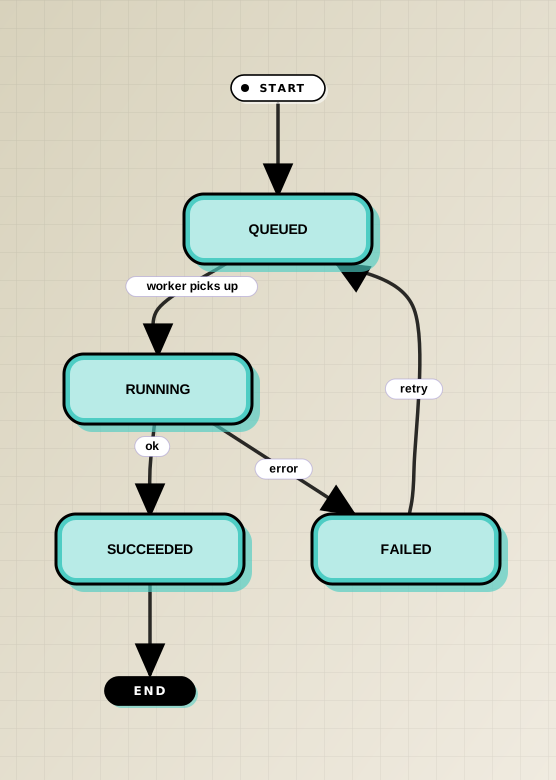
Show a job moving through queued, running, and terminal states.

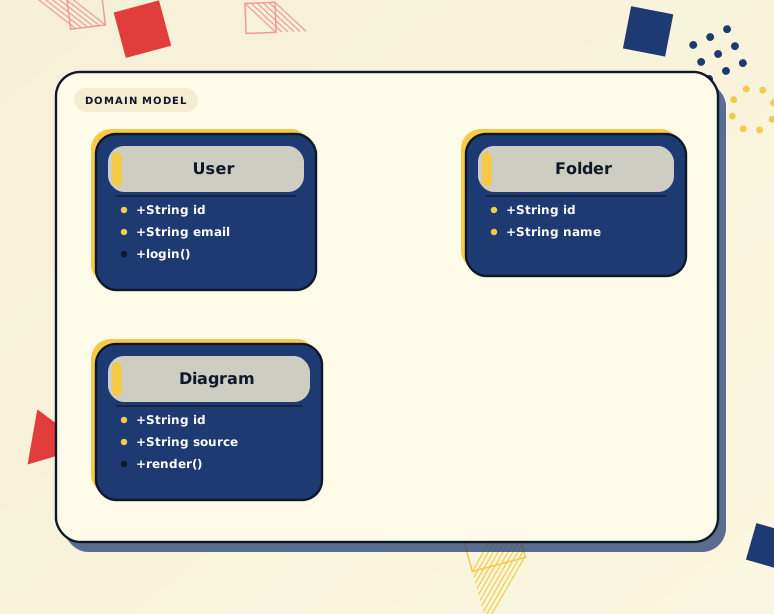
Sketch the relationships between core domain classes.

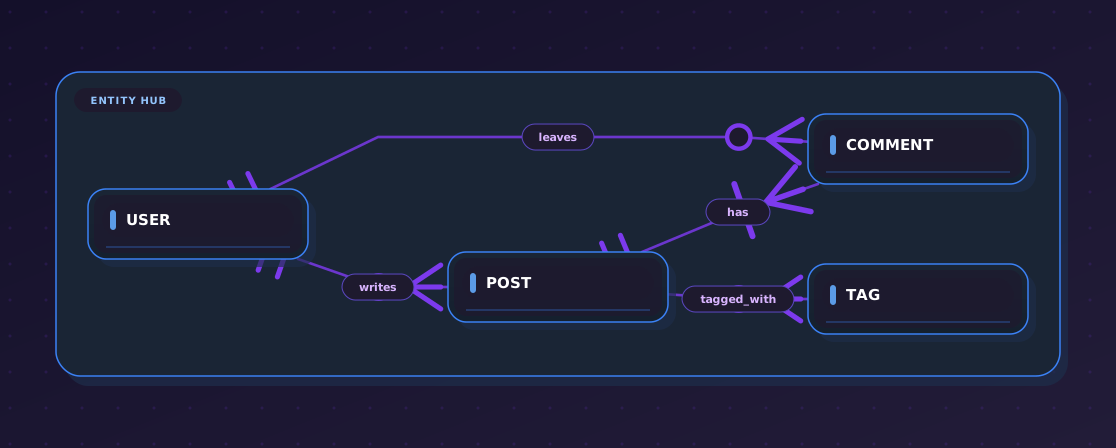
Show entity relationships for a small CMS schema.

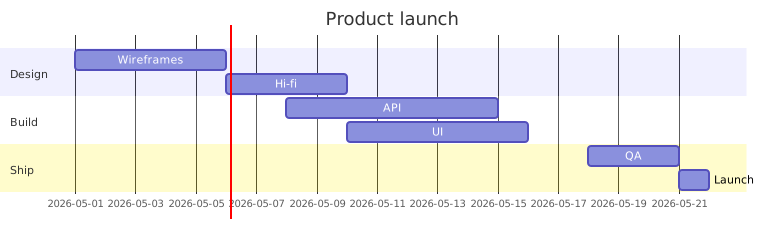
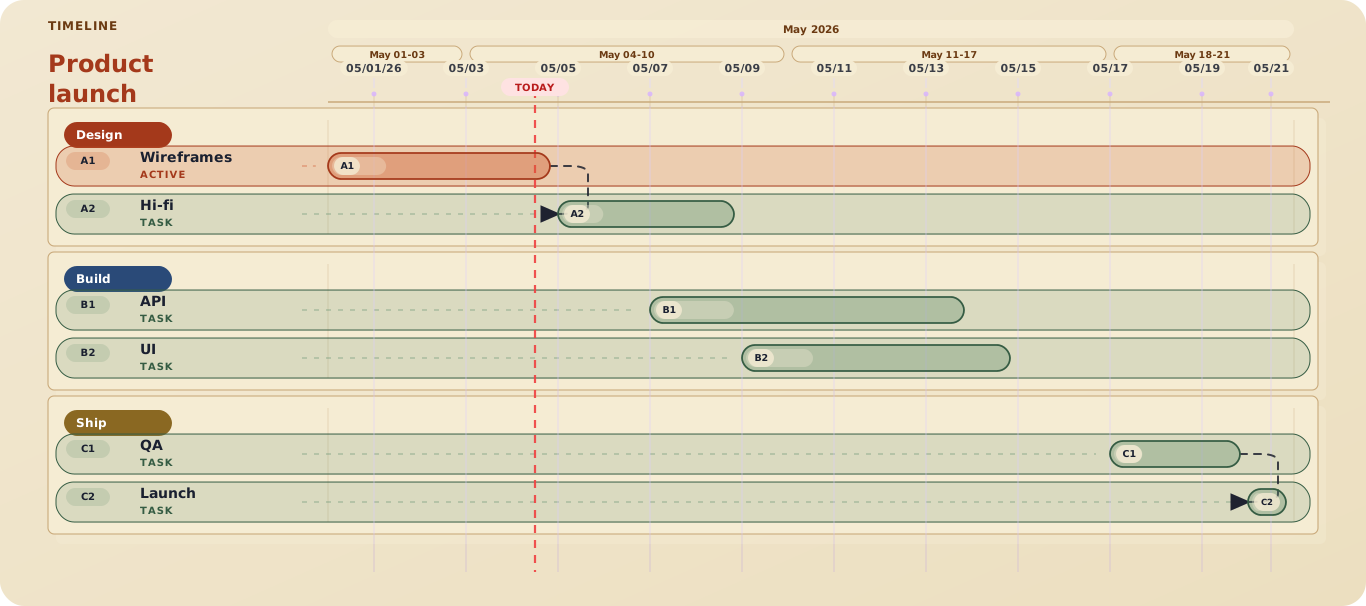
Lay out a 3-week launch plan across design, build, and ship phases.
Open the Mermaid online editor in the browser, paste, preview, and export without signing up — anonymous sessions never persist server-side.
Type Mermaid source on the left and the live preview re-renders on the right as you type — the same live editor experience you expect, with cleaner output.
Rewrite the layout so the main path, branches, loops, and merges read clearly on the first scan — not just a default Mermaid render.
Download sleek, modern SVG with fonts inlined, or HD PNG sized for docs, decks, and tickets — straight from the Mermaid online live editor.
Yes. This is a Mermaid online editor that runs in the browser — paste Mermaid source, get a live preview, beautify the layout in one click, and export SVG or PNG. No install, no account required.
mermaid.live shows the default Mermaid render. This Mermaid live editor adds a one-click beautify step that re-lays out the diagram so the main path, branches, loops, and merges read clearly, plus theme switching and HD PNG export. See the full comparison at /comparison/mermaid-live-alternative.
Flowchart, sequence, state, class, ER, and Gantt are all supported with one-click beautify and live preview. Other Mermaid grammars parse and render with default styling and will gain bespoke beautification in later releases.
No. Anonymous use is free for unlimited preview, beautify, and export to SVG or PNG. An account is only required to save Mermaid diagrams to the cloud and share them via a link.
Yes. Paste any Mermaid source — including content copied from a .md or .mmd file — straight into the editor. Both fenced code blocks and raw Mermaid syntax are accepted.
The exported SVG inlines the active theme's font stack and colors so the diagram renders identically in docs and decks. Mermaid's own %%{init}%% theme directives are preserved in the source but visual styling follows the Beauty Diagram theme you pick before export.
The official Mermaid documentation at https://mermaid.js.org/intro/ is the canonical reference for every diagram type. The samples on this page are good starting points to copy, edit, and see in the editor.
The Mermaid live editor opens with a live preview, one-click beautify, and clean SVG / PNG export. No sign-up.