
Mermaid to SVG — clean vector export, fonts inlined
Paste Mermaid source, click beautify, export SVG. The vector output stays sharp at any zoom, inlines the theme's fonts so it renders identically across viewers, and is small enough to drop straight into a README, RFC, or product doc. The beautified preview is itself the SVG — what you see is exactly what downloads.
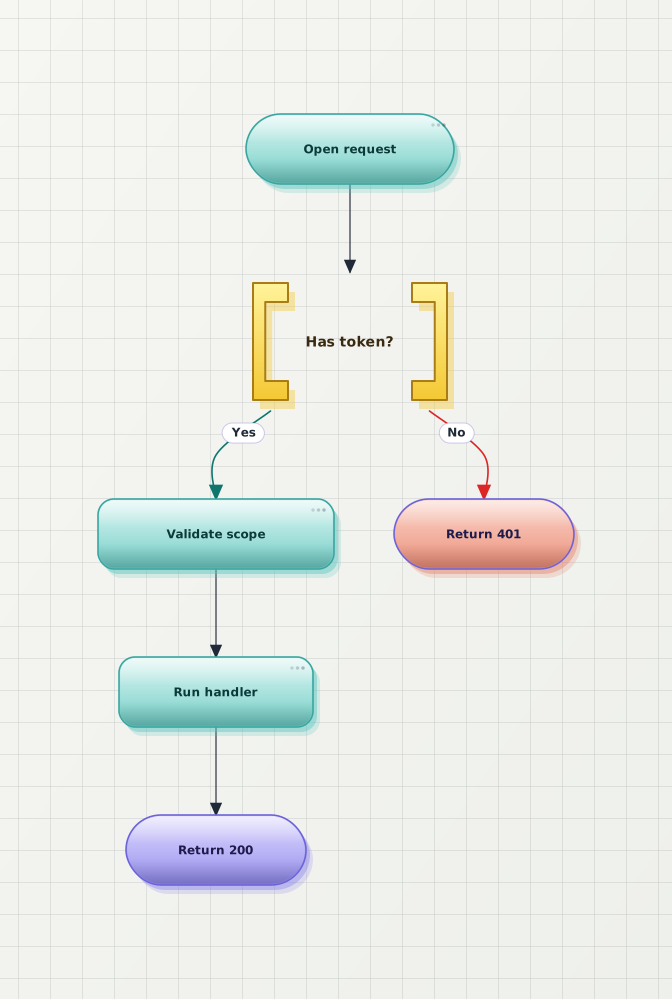
A Mermaid diagram, beautified, ready as SVG
Both previews below are SVG — zoom in your browser to confirm the After version stays crisp at any size. That vector is what gets exported.

When SVG is better than PNG
SVG scales with the layout, stays crisp inside doc cards and on 4K displays, and diffs as text in version control — the right default for anything published on the web.
The exported file is editable vector markup. Open it in Figma or Illustrator to tweak labels or colours before it ships — no redrawing from a flattened raster.
Slide decks, ticket attachments, and tools that do not render SVG are raster territory. For those, the Mermaid-to-PNG converter exports transparent HD raster up to 4×.
Why export Mermaid as SVG here
The beautified preview is already an SVG — export downloads that exact vector. No re-rendering step, no quality loss between what you see and what you get.
The exported SVG carries the theme's font stack, so node labels render identically in GitHub READMEs, product docs, and browsers — no missing glyphs on someone else's machine.
Layout is rewritten before you export, so the SVG is the polished version — not the cramped pastel default Mermaid render.
Anonymous export works with a small watermark; a free account removes it. Vector export is not behind a paywall.
Frequently asked questions
How do I convert a Mermaid diagram to SVG?
Paste your Mermaid source into the editor, click beautify, then export SVG. The beautified preview is itself a vector — the SVG you download is exactly what you see, same layout and theme. No signup is required to export.
Why does my Mermaid SVG look different on another machine?
Usually missing fonts. The SVG exported here carries the theme's font stack inline, so node labels render identically in GitHub READMEs, product docs, and browsers — no fallback glyphs on machines without your local fonts.
Is SVG or PNG better for a Mermaid diagram?
SVG for docs, READMEs, wikis, and anywhere on the web — it stays crisp at any zoom and diffs as text. PNG for slide decks, tickets, and tools that do not render SVG. Both exports are available from the same editor; if you need a raster, the Mermaid-to-PNG converter covers transparent backgrounds and up to 4× scale.
Can I edit the exported SVG afterwards?
Yes. SVG is text-based vector markup — open the exported file in Figma, Illustrator, Inkscape, or any vector editor to adjust it before publishing. That beats redrawing a flattened raster export.
Is the Mermaid-to-SVG converter free?
Yes. Anonymous export covers preview, beautify, and SVG export with a small watermark on the output. A free account removes the watermark; per-month export quotas are listed on the pricing page.
Can an AI agent or script use this converter?
Yes. The same beautify-and-export pipeline is available from the command line and from editor plugins (VS Code, Obsidian), so an AI agent or CI script can turn Mermaid source into a polished SVG without opening the browser editor.
Ready to convert your Mermaid diagram to SVG?
Open the editor, paste your Mermaid source, click beautify, export a clean vector SVG. No signup.