
Flowchart to SVG — clean vector export for docs & README files
Paste a Mermaid or PlantUML flowchart, click beautify, export SVG. The vector output stays sharp at any zoom, inlines the theme's fonts so it renders identically across viewers, and is small enough to drop straight into a README, RFC, or product doc — no manual redraw, no raster fuzziness.
A flowchart, beautified, ready as SVG
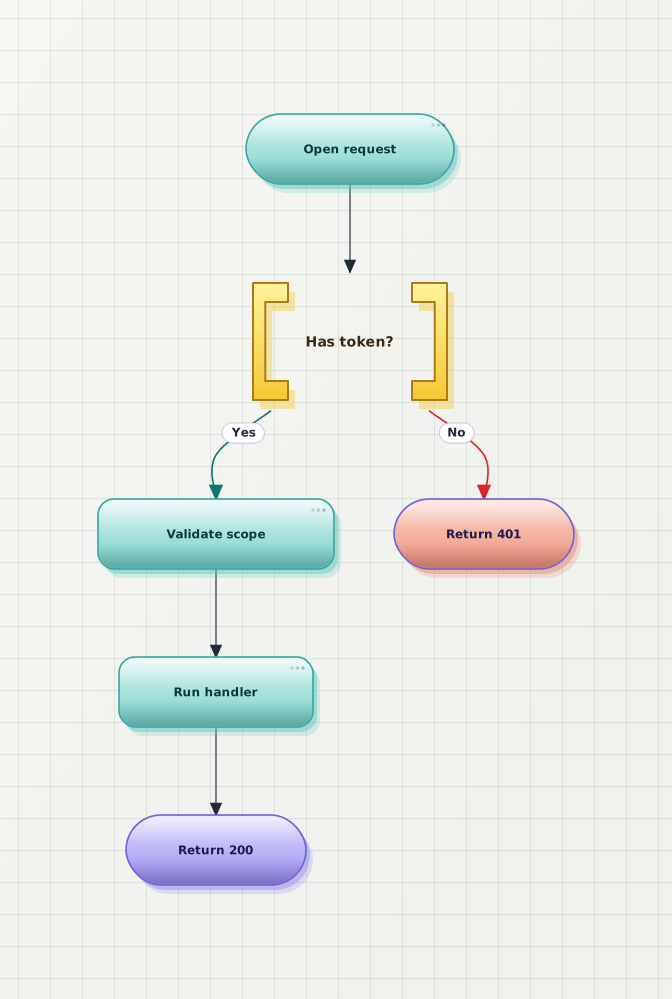
Both previews below are SVG — zoom in your browser to confirm the After version stays crisp at any size, and that the same vector is what gets exported.

Why export a flowchart as SVG
SVG is the right default for any destination that lives in a browser — docs sites, READMEs, knowledge bases, blog posts. Pick PNG only when the destination cannot render SVG.
Vector means no pixelation. The same SVG looks sharp inside a doc card, on a 4K display, or when zoomed to read a node label.
The exported SVG carries the theme's font stack so it renders identically in GitHub READMEs, product docs, and browsers — no missing glyphs on someone else's machine.
SVG is text — open it in Figma, Illustrator, or any vector editor to tweak before publishing. Beats redrawing a flattened raster.
Anonymous SVG export works with a small watermark. Free accounts remove the watermark; pricing page lists per-month limits.
Frequently asked questions
What flowchart sources can I export as SVG?
Mermaid flowchart source is the primary path — paste, beautify, export as SVG. PlantUML activity diagrams and draw.io files (free, no signup needed) export to SVG through the same workflow. The exported SVG is a self-contained vector file that scales crisply at any zoom.
Is the flowchart-to-SVG converter free?
Yes. Anonymous use covers unlimited preview, beautify, and SVG export with a small watermark. Free accounts remove the watermark; pricing page lists per-month export limits and Pro features.
Are fonts inlined in the exported SVG?
Yes. The exported SVG inlines the active theme's font stack so the diagram renders identically across viewers — docs sites, GitHub READMEs, browsers — without depending on local font availability.
When should I export SVG instead of PNG?
Choose SVG when the destination is product documentation, a markdown README, a website, or anywhere the diagram might be zoomed or read on high-DPI displays. Choose PNG for slide decks, ticket uploads, and tools that do not render SVG.
Will the SVG match the beautified preview exactly?
Yes. The SVG is the same vector that the in-browser preview renders — same theme, same layout, same fonts. There is no separate vector pipeline that could drift from what you see before exporting.
Ready to export your flowchart as SVG?
Open the editor, paste your flowchart source, click beautify, export SVG. No signup.