FlowchartCI/CD pipelineMedium
Staged deploy with approval gate
Promote a build through staging, smoke tests, manual approval, and production rollout.
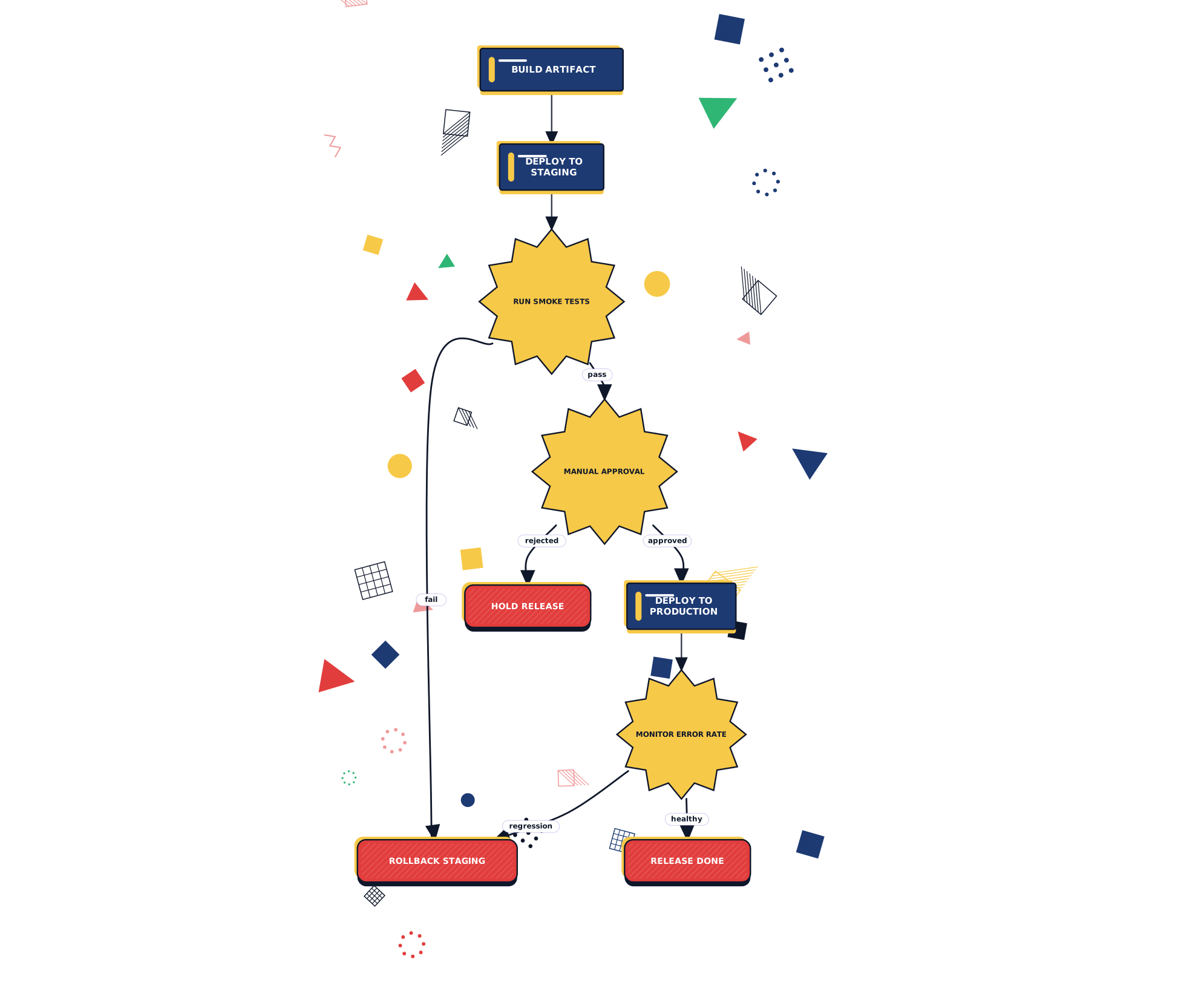
What this diagram shows
Step 01
Stage then smoke
Every build lands in staging first and has to survive the smoke suite.
Step 02
Human approval
A reviewer either promotes to production or holds the release.
Step 03
Health monitoring
Production traffic is watched; a regression triggers an automatic rollback.
About flowchart diagrams
Flowcharts map out a process as boxes and arrows. They work well when you need to explain how a decision, workflow, or pipeline moves from one step to the next.
This template is written in Mermaid — plain text you can edit, version in git, and regenerate the image from any time.
View Mermaid sourcePlain-text diagram syntax — copy or edit directly.
diagram.mmd
1graph TD2 Build[Build artifact] --> Stage[Deploy to Staging]3 Stage --> Smoke[Run smoke tests]4 Smoke -->|fail| Rollback[Rollback staging]5 Smoke -->|pass| Approve{Manual approval}6 Approve -->|approved| Prod[Deploy to Production]7 Approve -->|rejected| Hold[Hold release]8 Prod --> Monitor[Monitor error rate]9 Monitor -->|healthy| Done[Release done]10 Monitor -->|regression| RollbackRelated
Related templates
More templates that cover similar workflows.